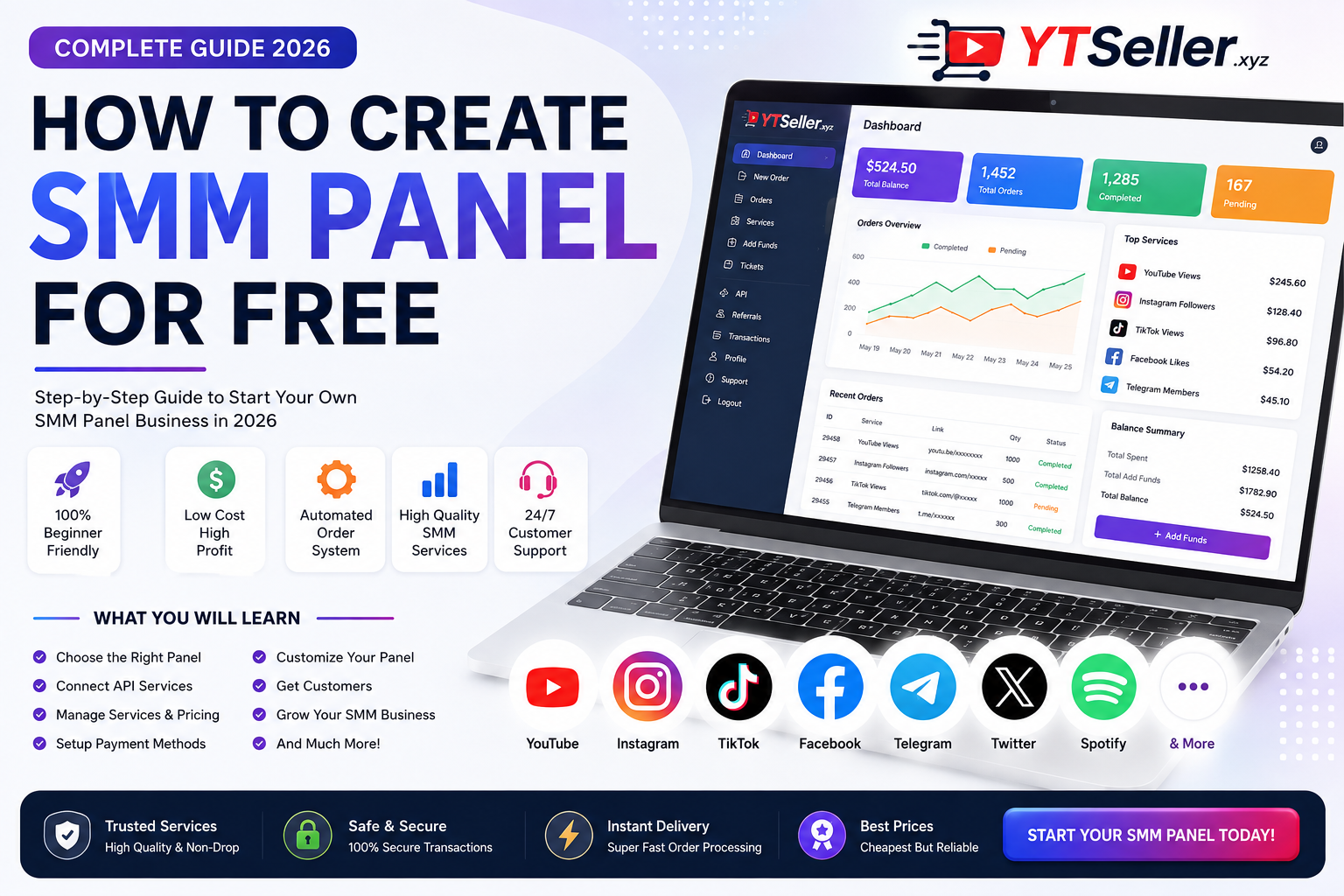
How to Create an SMM Panel for Free in 2026
Want to create your own SMM panel without spending a lot of money? In 2026, starting an SMM reseller business is easier than building a social-media management platform from scratch. You can begin with a ready-made reseller or child-panel solution, connect services through an API, customize your branding, and gradually upgrade your infrastructure as your customer base grows.
But there is an important distinction between starting an SMM panel for free and running a completely free business. A free or low-cost panel solution may eliminate software-development costs, but a professional operation can still require expenses for a domain, hosting, payment processing, support, marketing, and service fulfillment.
This guide explains the practical ways to create an SMM panel in 2026, what you need, how reseller APIs work, how to calculate your prices, and how to build a panel that customers can actually trust.
What Is an SMM Panel?
An SMM panel, short for Social Media Marketing panel, is an online dashboard where customers can order digital marketing services for social platforms.
Depending on the provider, services may include:
- YouTube marketing services
- Instagram services
- TikTok services
- Facebook services
- Telegram services
- X/Twitter services
- Spotify services
- Other social-media marketing products
The basic process is straightforward:
Customer → Your SMM Panel → Supplier/API → Order Fulfillment
Instead of manually processing every order, an API can allow your website to send orders to a connected supplier automatically.
This is why reseller panels are popular with freelancers, agencies and online entrepreneurs. An SMM panel essentially acts as a storefront while the fulfillment infrastructure can sit behind it.
Can You Really Create an SMM Panel for Free?
Yes, you can start with very little upfront investment, but “100% free” depends on what you mean by free.
There are several approaches.
Option 1: Free or Low-Cost Child Panel
A child panel is a ready-made SMM storefront provided by another service provider.
Usually, you receive:
- Your own panel URL
- Login/register system
- Service catalog
- Order system
- Customer dashboard
- Balance system
- Basic branding options
- Supplier integration
This is generally the easiest option for beginners because you don't have to develop the entire platform yourself.
Option 2: Self-Hosted SMM Panel
Another option is installing SMM panel software on your own hosting.
This gives you greater control over:
- Website design
- Database
- Pricing
- API connections
- Customer accounts
- Payment gateways
- Custom features
However, this approach isn't necessarily free because you may need hosting, a domain, software, development and maintenance.
Option 3: Build a Custom SMM Platform
The most advanced approach is developing your own panel from the ground up.
A custom system can include:
- Custom frontend
- Custom admin dashboard
- Supplier API management
- Automatic order processing
- Payment gateway integration
- Advanced reporting
- Multiple currencies
- Multiple languages
- Automated notifications
- Reseller accounts
- Public API
This provides the greatest control but usually requires substantially more technical knowledge and investment.
For a beginner, a ready-made reseller/child panel is normally the simplest starting point.
What Do You Need to Start an SMM Panel?
Before creating your panel, prepare these basic components.
1. A Brand Name
Choose a short and memorable brand.
For example:
YT Seller
A strong brand makes it easier for customers to remember your business and can eventually become more valuable than simply competing on price.
2. A Domain Name
A custom domain gives your panel a professional identity.
For example:
ytseller.xyz
You can use your domain as the main address for your panel and build your brand around it.
3. Panel Software
You need the software that manages customers, services and orders.
You can either:
- Use a child-panel platform
- Install panel software
- Develop your own software
4. Service Providers
Your panel needs legitimate suppliers or fulfillment partners for the services you intend to sell.
When evaluating suppliers, don't focus only on the cheapest price.
Check:
- Service quality
- Delivery consistency
- Support
- Refund policy
- API reliability
- Order status updates
- Refill terms where applicable
- Service restrictions
A cheap service that constantly fails can cost more through refunds and customer complaints.
5. API Integration
An API allows your panel to communicate with an external service provider.
For example:
Customer places order
↓
Your panel receives payment
↓
Your panel sends API request
↓
Supplier receives order
↓
Supplier processes the order
↓
Your panel receives status
↓
Customer sees the updated order status
This automation is one of the main reasons SMM reseller panels can handle many orders without manually processing each one.
Step-by-Step: How to Create an SMM Panel for Free
Step 1: Choose Your Business Model
First decide what type of panel you want.
There are three common models:
Reseller panel: You purchase services wholesale and resell them.
Child panel: A provider gives you a ready-made branded storefront.
Custom panel: You own and develop the complete infrastructure.
If you're starting with a limited budget, the child-panel or reseller model is usually the easiest place to begin.
Step 2: Choose Your Domain
Register a domain that is:
- Short
- Easy to spell
- Easy to remember
- Relevant to your brand
- Suitable for your target market
Avoid excessively long domains or names that are difficult to pronounce.
For example, a short brand such as YT Seller is easier to communicate than a long keyword-heavy domain.
Step 3: Select Your Panel Platform
If you're using a child panel, compare providers carefully before committing.
Look for:
Automatic order processing
Customers should be able to place orders without waiting for you to manually process them.
API support
API access is important if you eventually want to connect additional systems or build your own frontend.
Service management
You should be able to control:
- Service names
- Prices
- Minimum quantities
- Maximum quantities
- Descriptions
- Categories
Order management
Your dashboard should allow you to see:
- Pending orders
- Processing orders
- Completed orders
- Partial orders
- Canceled orders
- Failed orders
Customer support
A reliable support system can make a major difference as your business grows.
Step 4: Connect Your Service Provider API
Once your panel is ready, connect it to your supplier if the platform supports API integration.
A typical API connection requires information such as:
- API URL
- API key
- Service ID
- Service price
- Minimum quantity
- Maximum quantity
Never publish your API credentials publicly.
Store API keys securely and restrict access to administrators.
Step 5: Create Your Service Catalog
Don't simply import hundreds of services and publish them without checking them.
Instead, organize your catalog into useful categories.
For example:
YouTube
- Video marketing
- Channel marketing
- Engagement services
- Other compliant promotional services
- Marketing services
- Engagement services
- Profile promotion
TikTok
- Video promotion
- Engagement services
- Profile marketing
Telegram
- Channel promotion
- Community marketing
A smaller catalog containing services you understand can be better than thousands of confusing listings.
Step 6: Set Your Prices
Your retail price needs to cover your supplier cost and operating expenses.
A simple formula is:
Retail Price = Supplier Cost + Operating Costs + Profit Margin
For example, suppose your supplier charges:
$1.00
You could sell the service for:
$1.50
Your gross difference would be:
$0.50
However, your actual profit can be lower after payment fees, refunds, discounts, advertising and other business expenses.
Don't automatically choose the highest possible markup.
Instead, compare your prices with competing providers and determine what customers are willing to pay.
Step 7: Add Payment Methods
A professional SMM panel should make deposits and payments convenient for its target customers.
Depending on your country and payment provider, options can include:
- Bank cards
- Bank transfers
- Digital wallets
- Local payment methods
- Cryptocurrency
Always check the terms and eligibility requirements of each payment processor before integrating it.
Step 8: Build Trust Before Spending Money on Advertising
One of the biggest mistakes new SMM panel owners make is focusing entirely on getting traffic.
Before advertising, make your website trustworthy.
Add:
About Us
Explain who operates the business and what your company does.
Contact Page
Give customers a clear way to contact support.
Terms of Service
Explain ordering rules, refunds and service limitations.
Privacy Policy
Explain how customer information is handled.
Refund Policy
Clearly explain when customers can request refunds.
FAQ
Answer common questions about orders, payments and delivery.
These pages also give search engines and customers more context about your business.
How Much Does It Cost to Start an SMM Panel?
The answer depends heavily on the business model.
| Requirement | Possible Starting Cost |
|---|---|
| Child panel | Free to low-cost, depending on provider |
| Domain | Usually paid annually |
| Hosting | Depends on infrastructure |
| Panel software | Free to paid |
| API | Depends on supplier |
| Payment gateway | Usually transaction-based |
| Logo/branding | Can be created inexpensively |
| SEO | Can be done yourself |
| Advertising | Optional |
| Customer support | Depends on volume |
Therefore, starting an SMM panel cheaply is realistic, but operating a professional business completely free of expenses is not.
Your objective should be to keep initial costs low while investing in the areas that directly improve reliability and customer experience.
Free SMM Panel vs Custom SMM Panel
Which option should you choose?
| Feature | Child Panel | Custom Panel |
| Setup speed | Very fast | Slow |
| Technical knowledge | Low | High |
| Initial investment | Low | Higher |
| Customization | Limited | Extensive |
| Maintenance | Provider-dependent | Your responsibility |
| API control | Depends on provider | Full control |
| Scalability | Depends on provider | High |
| Beginner friendly | ⭐⭐⭐⭐⭐ | ⭐⭐ |
For most beginners, starting with a child panel and upgrading later is more practical than spending heavily on custom development from day one.
How to Make Your SMM Panel Different
The SMM panel market is competitive. Simply copying another panel's design and service descriptions won't give you a strong advantage.
Instead, build around a specific customer experience.
1. Create a Fast Website
Customers don't want to wait for pages to load.
Optimize:
- Images
- JavaScript
- CSS
- Server response time
- Mobile layout
- Checkout experience
2. Make Ordering Simple
A customer should quickly understand:
Service → Link → Quantity → Price → Order
Avoid unnecessary steps.
3. Provide Clear Service Descriptions
Don't promise impossible results.
Explain:
- What the service does
- Expected delivery time
- Requirements
- Restrictions
- Refill terms if applicable
- Cancellation conditions
Clear descriptions reduce support tickets.
4. Offer Real Customer Support
A support system can become a major competitive advantage.
Respond quickly and professionally when an order doesn't behave as expected.
SEO for Your SMM Panel
If you want your panel to receive customers from Google, don't create dozens of nearly identical pages simply to target keywords.
Google says its systems prioritize helpful, reliable, people-first content and specifically warns against creating large amounts of unoriginal content primarily to manipulate rankings.
Instead, create useful resources around your actual expertise.
For example:
SMM Panel Blog Topics
- How to Create an SMM Panel
- What Is an SMM Panel?
- SMM Panel vs Social Media Agency
- How Does an SMM Panel API Work?
- How to Start an SMM Reseller Business
- How to Choose an SMM Service Provider
- How to Price Social Media Marketing Services
- How to Promote a New SMM Panel
- SMM Panel FAQ for Beginners
- How to Build a Social Media Marketing Agency
Each article should provide information that is genuinely useful rather than repeating the same paragraph with different keywords.
Important: Don't Confuse SMM Services With Organic Growth
This is an important point for anyone entering the industry.
Social media metrics and genuine audience growth are not the same thing.
A business should not assume that purchasing a metric automatically creates:
- Loyal followers
- Customers
- Sales
- Watch time from interested audiences
- Long-term community growth
For sustainable marketing, combine promotional services with genuine content, audience targeting, advertising, community building and high-quality creative work.
Also check the rules of each platform before offering or promoting a particular service. Artificial engagement can violate platform policies, and services may be removed or otherwise affected.
Common Mistakes When Starting an SMM Panel
Mistake 1: Choosing a Supplier Only Because It Is Cheap
The cheapest service isn't necessarily the best service.
Reliability matters.
Mistake 2: Publishing Every Available Service
A huge catalog can make your panel difficult to navigate.
Start with services you understand and can support.
Mistake 3: Copying Competitors
Copying another panel's website, descriptions and content makes it harder to establish a unique brand.
Create your own service descriptions and educational content.
Mistake 4: Ignoring Customer Support
Even an automated panel needs human support.
Customers want answers when:
- Orders are delayed
- Payments fail
- Services don't meet expectations
- They entered the wrong link
- They need refunds
Mistake 5: Spending Too Much on Ads Too Early
Before buying traffic, test your:
- Checkout
- Payment system
- Order processing
- API
- Support
- Mobile website
- Refund process
A broken checkout can turn expensive advertising into wasted money.
How to Grow Your SMM Panel in 2026
Once your basic panel works correctly, focus on growth.
Build SEO traffic
Publish useful guides targeting specific questions.
Create social media content
Use platforms such as YouTube, TikTok, Instagram and X to educate potential customers about social media marketing.
Target agencies and freelancers
Agencies can become valuable recurring customers because they may place multiple orders for different clients.
Introduce reseller accounts
Allow other marketers to use your infrastructure and create their own customer base.
Develop your own brand
Don't compete only on price.
Compete through:
- Reliability
- Support
- Website quality
- Service transparency
- Payment options
- Speed
- Brand reputation
Frequently Asked Questions
Is it possible to create an SMM panel without coding?
Yes. A child panel or ready-made reseller solution can allow you to launch without developing the entire platform yourself.
Can I start an SMM panel with $0?
You may find free or trial-based panel options, but a professional business usually has some costs eventually, such as a domain, hosting, payment processing, supplier balance or marketing.
What is a child SMM panel?
A child panel is a branded storefront created using another provider's infrastructure. It allows you to sell services under your own brand without building the entire backend yourself.
What is an SMM API?
An SMM API is an interface that allows one platform to communicate with another system. It can automate actions such as retrieving services, submitting orders and checking order status.
Do I need coding skills?
Not necessarily. A ready-made panel can require little technical knowledge. However, coding skills become useful if you want custom integrations, advanced automation or your own platform.
How do SMM panels make money?
The typical reseller model involves purchasing services at a wholesale cost and selling them at a higher retail price. The difference contributes to gross margin after operating expenses.
Is an SMM panel a good business in 2026?
It can be a viable digital-services business, but success isn't guaranteed. Competition is high, and long-term success depends on reliable fulfillment, customer service, pricing, marketing and compliance with relevant platform rules.
Final Thoughts
Creating an SMM panel in 2026 doesn't necessarily require a large development budget.
The simplest route is to start with a ready-made reseller or child-panel solution, connect reliable service providers, create a professional brand, configure your pricing and payments, and focus on customer support.
Once your business starts generating consistent orders, you can reinvest your revenue into better infrastructure, custom features, SEO, payment options and automation.
The biggest lesson is simple:
Don't try to build the biggest SMM panel on day one. Build a reliable one first.
Start small, test every service, listen to customers and improve your platform based on real usage. That approach gives you a much stronger foundation for turning a low-cost SMM panel into a serious digital marketing business.